
Cette zone d’assistance est faite pour vous garantir une prise en main simple et rapide de votre écran Easypitch.
Nous sommes aussi là pour vous aider
EasyPenDriver
Requirement : Windows 10 1803 or later version
1 – Download Archive :
https://assistance.easypitch.fr/src/download/drivers/easypendriver/easypendriver.zip
2 – Uncompress the archive
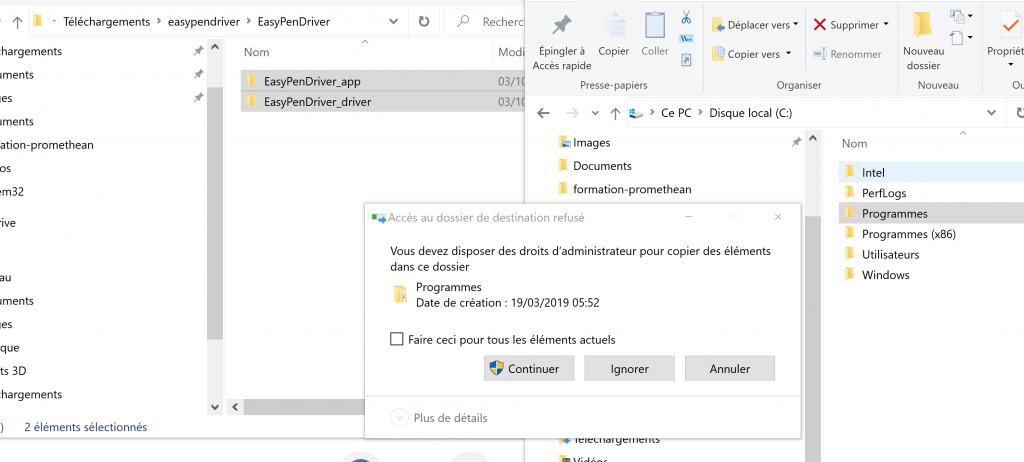
3 – Place documents in the Programs file on your C : drive
4 – go in the device manager (right clic on start menu -> Device Manager) or run directly devmgmt.msc
check of Human Interface Device , rigth clic on HID interactive screen, goto Properties :
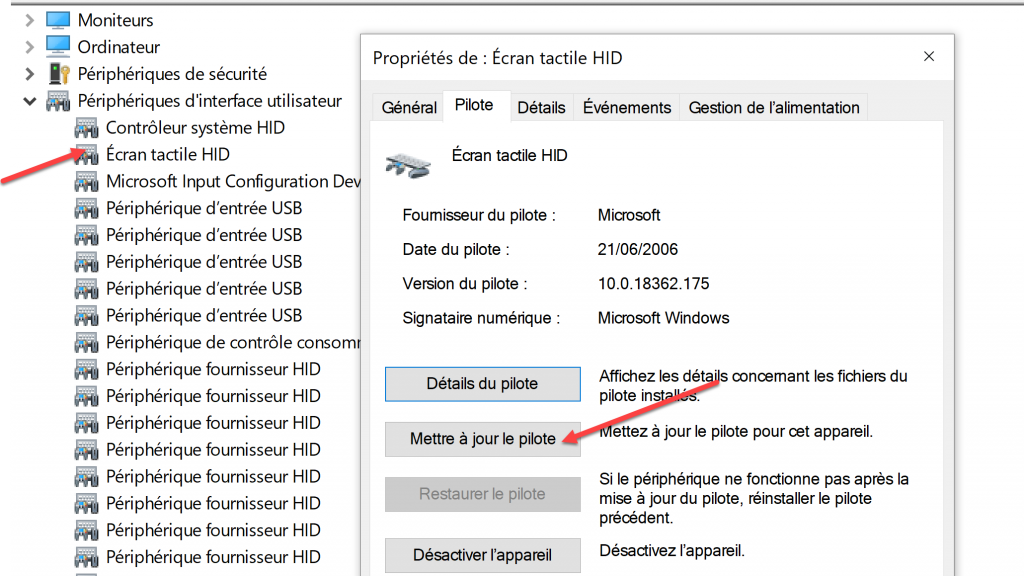
5 – Select « update driver »
6 – select folder you have downloader : follow the steps :
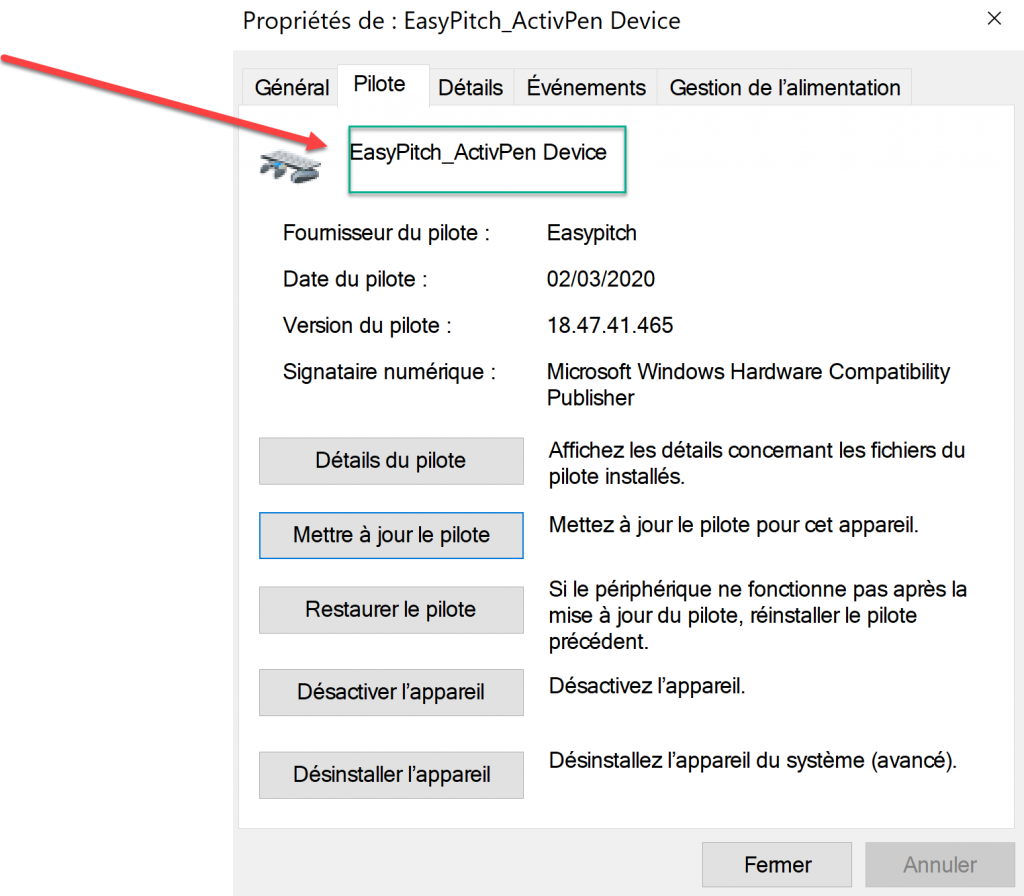
Once applied « HID Interactive Screen » will be renamed into « Easypitch_ActivPen ». you can restart screen to apply driver.
The driver is installed ; you can install the application
Application setup :
In the « EasyPitchInject » folder you can find the application:
The EasyPitchInject.bat launches the application.
The killEPI.bat stops the application.
The Config.txt file is use to set the stylus size to take into account
The second parameter is the zoom ratio of windows
1.5 for 150%
2 for 200%…Lauch EasyPitchInject.bat to start the check before the config.txt has the correct Windows zoom ratio.
Use the correct stylus (small pin) to check the activpen behaviour
You may add a shortcut for EasyPitchInject.bat file and place it on windows startup
C:\Users\%username%\AppData\Roaming\Microsoft\Windows\Start Menu\Programs\Startup